When hosting an event, the check-in process can either set the tone for a smooth experience—or cause a frustrating delay. Long lines and manual verification can quickly overwhelm your staff and irritate guests. That’s why using a modern ticket scanner app is one of the smartest upgrades you can make. If you're planning events with ME-Ticket, you already have access to a fast and convenient check-in system using QR code tickets directly from your phone.
In this guide, we'll explore how the ME-Ticket scanner makes event check-in faster, simpler, and more secure—so your visitors can enjoy the event instead of waiting in line.Why a Ticket Scanner Matters at Events

1. Faster Visitor Authentication
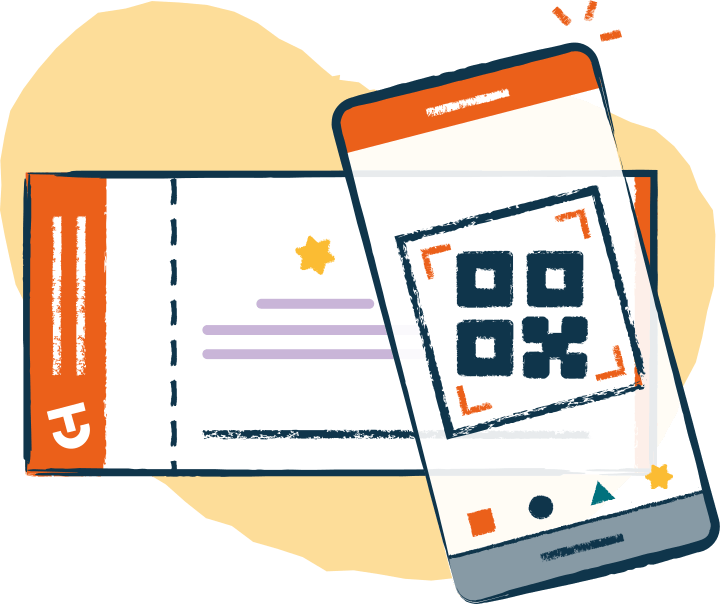
Picture this: instead of flipping through printed guest lists or checking IDs one by one, your team simply scans tickets at the event with a smartphone. The QR code confirms authenticity instantly. No extra equipment. No complicated validation steps.
This system ensures that:
- Only valid and paid tickets are accepted.
- Duplicate or reused tickets are detected.
- Mistakes and delays are minimized.
It’s like having a digital doorman that never gets tired.
2. No Special Hardware Required
Traditional event verification often required scanners or special machines—expensive and inconvenient. With ME-Ticket, verification happens directly on your phone through the app. That means:
- No extra equipment purchases
- No training complications
- Faster setup time
Everything is streamlined into one simple mobile tool.
ME-Ticket Scanner App: Simple & Smart
When developing ME-Ticket, the goal was to bring the entire event management process into one user-friendly platform. One of the biggest challenges organizers face is ensuring that tickets are legitimate and easy to verify.
QR Code Ticket Scan System
Every ticket generated through ME-Ticket includes a unique QR code. This code:
- Identifies the ticket
- Links it directly to your event
- Prevents fraud and duplication
How to Use the ME-Ticket Scanner App
The scanner is available for both Android and iOS, and setup takes just a moment.
Steps to check in visitors:
- Open the ME-Ticket scanner app.
- Select your event from the list.
- Point the camera at the ticket QR code.
- Get instant validation feedback.
- Ticket is valid → Let the guest in.
- Ticket already scanned → Prevent duplicate entry.
- Ticket not recognized → You may need to check with support or verify manually.
That’s it — no complicated menus, no delays.

Benefits of a Fast Entry System

Real-Time Scan History and Monitoring
Inside the app, you can view a complete scan history, including:
- Date and time of each scan
- Ticket number
- Validation result (success or failure)
For valid tickets, you can also see:
- Ticket type
- Ticket price
For invalid scans, the app explains exactly what went wrong. This allows organizers to solve issues immediately—not after the event is over.
Better Experience for Visitors
Nobody likes waiting in line. A fast QR-based check-in:
- Speeds up entry
- Reduces stress
- Makes your event feel more organized and professional
Think of it as rolling out a red carpet, but digital.
More Control for Organizers
With the ME-Ticket system, you maintain real-time control and oversight. Whether you're managing a small workshop or a concert with thousands of guests, you always know what's happening at the door.

Conclusion
Using a ticket scanner app like the ME-Ticket scanner transforms the check-in process from slow and confusing into fast, reliable, and effortless. With QR code-based authentication, multi-device support, real-time scan tracking, and no need for extra hardware, it’s the perfect event management tool for organizers who value efficiency and professionalism.
Whether you're hosting your first event or your hundredth, this tool helps ensure your guests start their experience on the right note.
Ready to try it? Just log into your ME-Ticket organizer account and start scanning — your event day just got a whole lot smoother.
Create your event today at ME-Ticket — and experience fast entry done right.